Why We Built a Rendering Tool That Doesn't Care What Software You Use
Cabinet Vision, SketchUp, Microvellum... why does rendering have to be so hard? Discover the "agnostic" rendering engine that works with literally any CAD tool on the market.
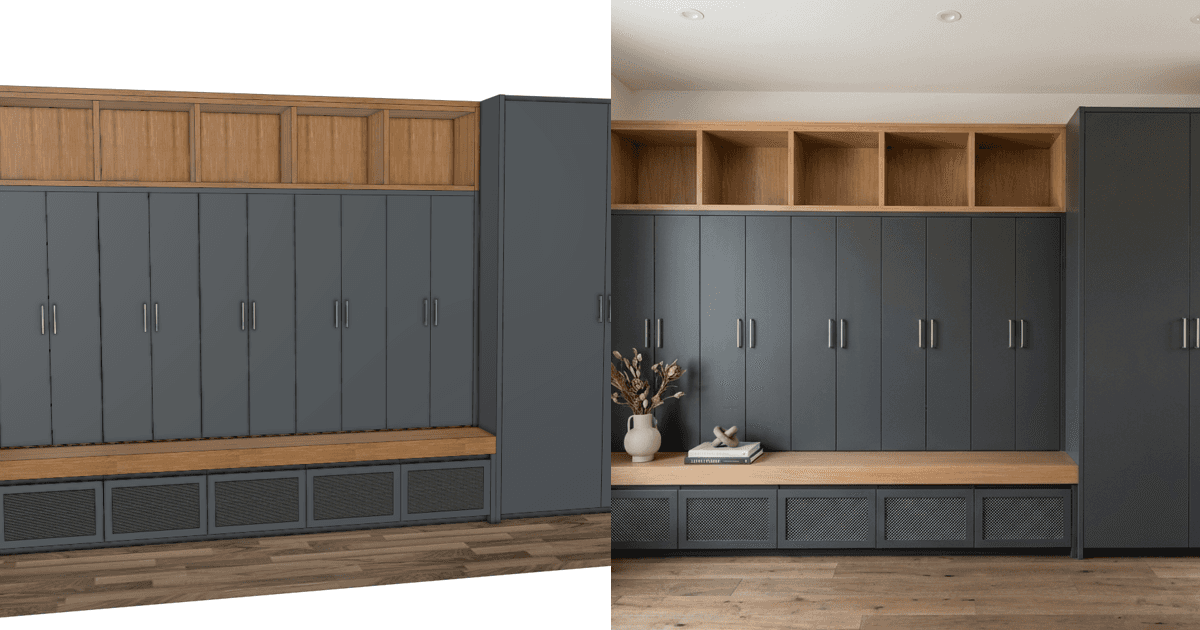
The "Plugin" Nightmare: We've all been there. You buy a new rendering plugin for your CAD software. It looks great in the demo. But then:
It requires a newer version of your CAD software.
It clashes with your graphics card driver.
It needs a 20GB library download.
It crashes when you try to render a simple island.
The cabinet industry is fragmented. Some shops run Cabinet Vision. Others swear by Mozaik. Designers love SketchUp. Architects use Chief Architect.
Why should your rendering tool be locked to just one of these?
The Case for Agnostic Rendering: At QuickCabRender, we believe your visualizer shouldn't care about your file format. We don't read .CVJ or .SKP files. We don't need to know your polygon count.
We use Image-to-Image Artificial Intelligence.
This means if you can see it on your screen, we can render it.
Scenario A: You have a dusty old laptop running Cabinet Vision 2012. It works.
Scenario B: You drew a layout on an iPad using a simple app. It works.
Scenario C: You literally sketched a perspective drawing on a napkin and took a photo. Yes, it works.
Freedom from the Dongle: By decoupling the "Pretty Picture" engine from the "Engineering" engine, you gain freedom. You can upgrade your CNC software without breaking your rendering workflow. You can switch from PC to Mac. You can generate renders on your phone while your CAD workstation is busy crunching toolpaths.
Stop fighting with compatibility. Start rendering.