Your Presentations Should Match the Quality of Your Craftsmanship.
Stop losing high-paying jobs to shops with better visuals.
While competitors hand over basic line drawings or cartoons, you can turn raw CAD layouts into magazine-quality 4K visuals in 40 seconds - reducing price-shopping and securing the deposit check faster.
Test it Right Now (No CAD File Needed)

⭐️ Join 810+ custom cabinet shops and drafters
Your Presentations Should Match the Quality of Your Craftsmanship.
Stop losing high-paying jobs to shops with better visuals.
While competitors hand over basic line drawings or cartoons, you can turn raw CAD layouts into magazine-quality 4K visuals in 40 seconds - reducing price-shopping and securing the deposit check faster.
Test it Right Now (No CAD File Needed)
⭐️ Join 810+ custom cabinet shops and drafters
Your Presentations Should Match the Quality of Your Craftsmanship.
Stop losing high-paying jobs to shops with better visuals.
While competitors hand over basic line drawings or cartoons, you can turn raw CAD layouts into magazine-quality 4K visuals in 40 seconds - reducing price-shopping and securing the deposit check faster.
Test it Right Now (No CAD File Needed)
⭐️ Join 810+ custom cabinet shops and drafters
Compatible with the tools you already use to build:










Total users currently
Total users currently
Renders generated
ALL!
ALL!
Supported CAD Platforms
Supported CAD Platforms
Test drive for free!
See the Magic Work in 10 Seconds.
Test drive for free!
See the Magic Work in 10 Seconds.
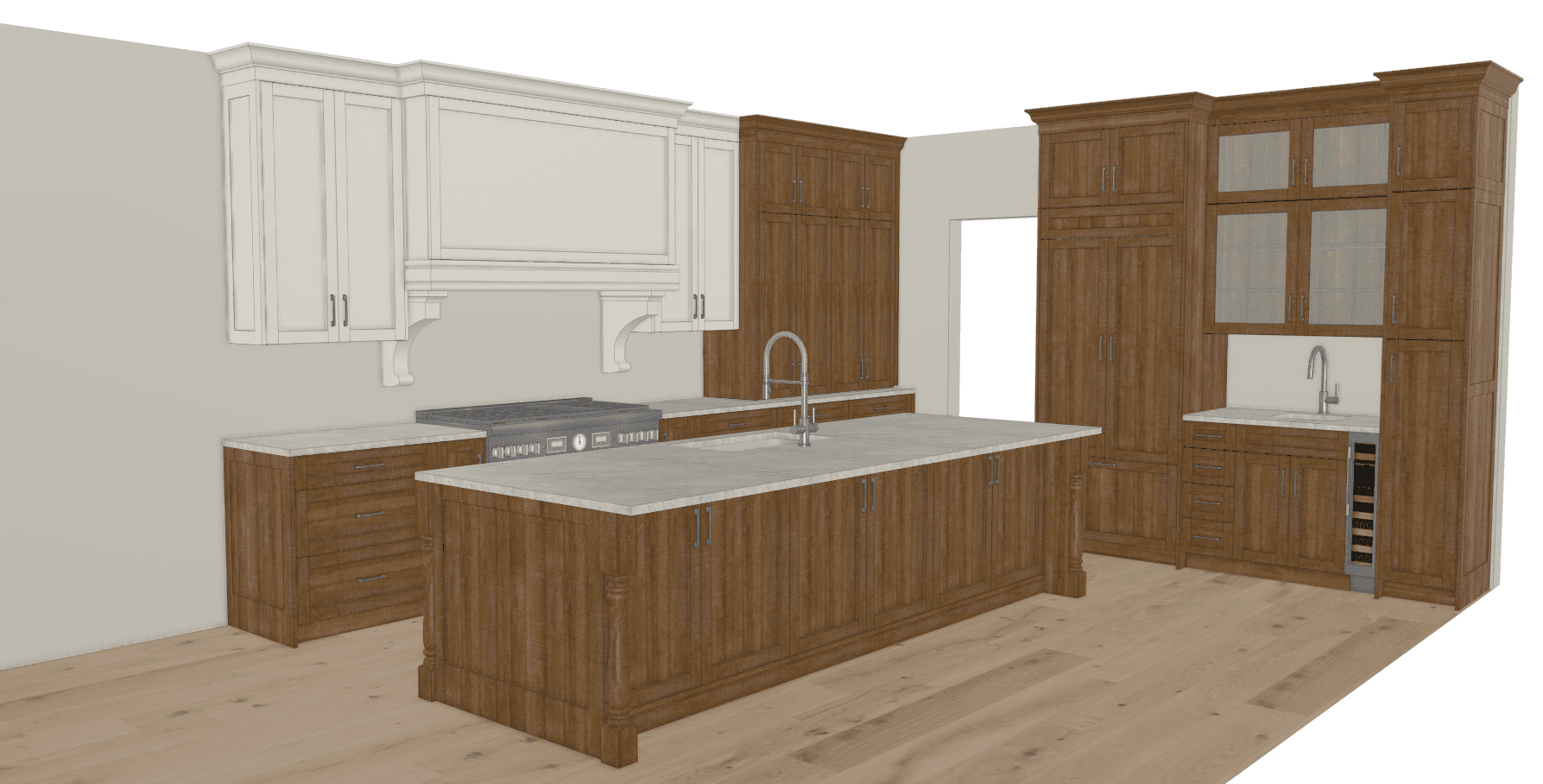
On your phone or don't have a CAD project open right now? No worries. Select a sample layout below and hit generate to see how perfectly the AI maps geometry.
On your phone or don't have a CAD project open right now? No worries. Select a sample layout below and hit generate to see how perfectly the AI maps geometry.
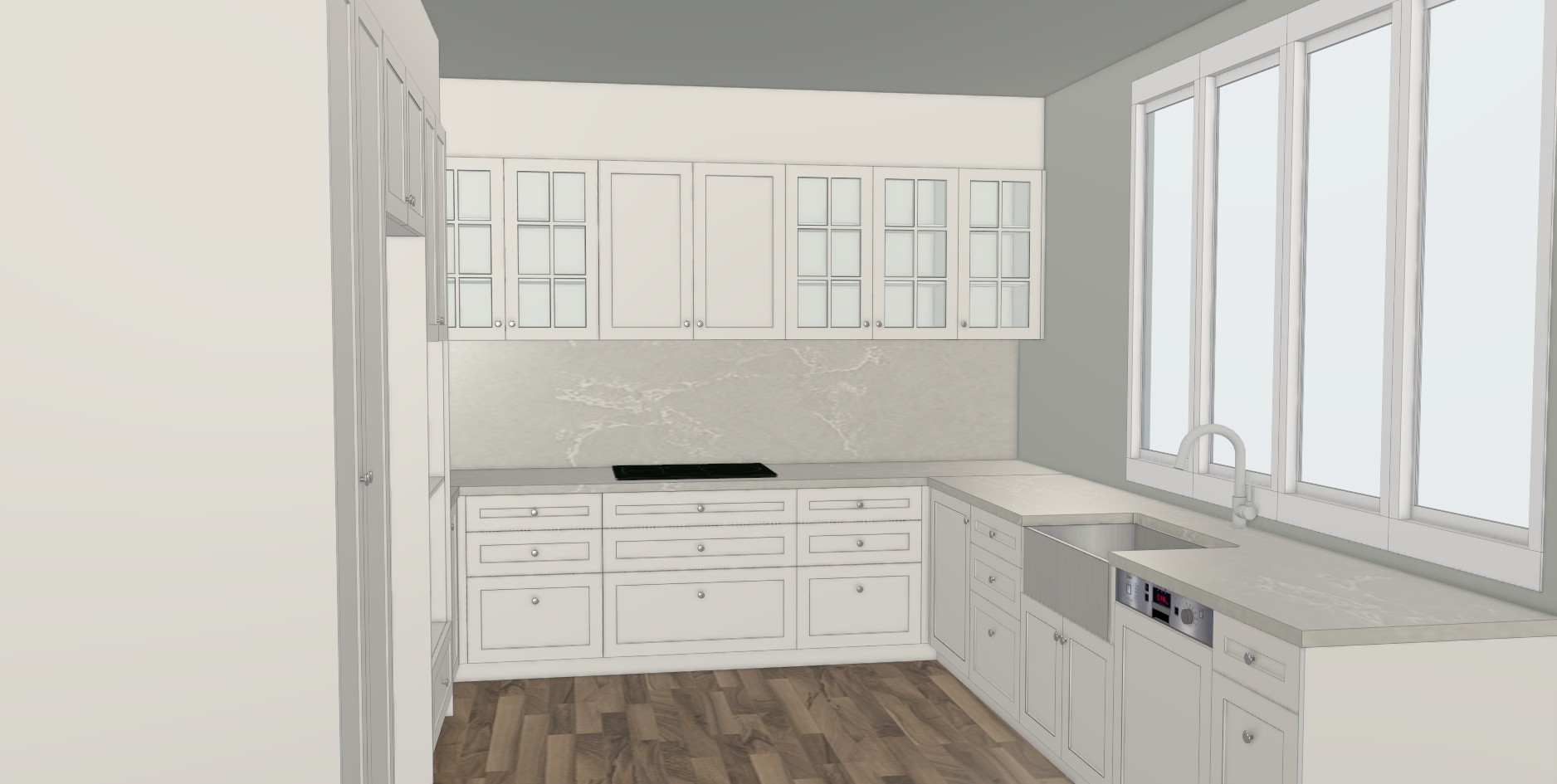
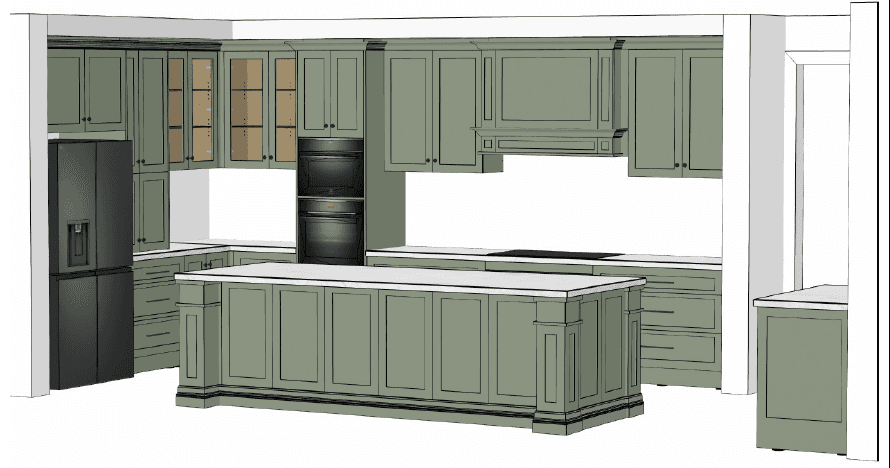
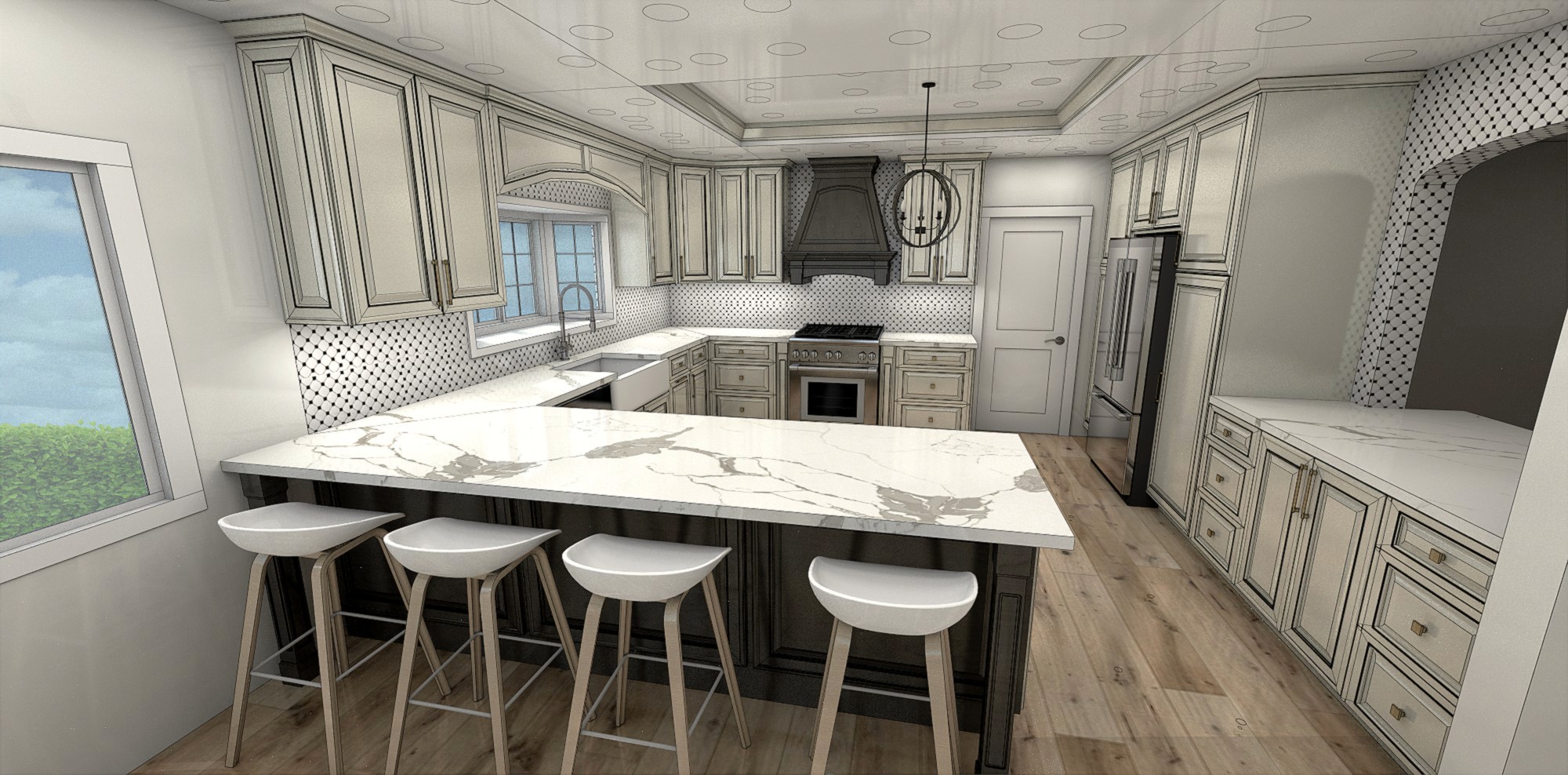
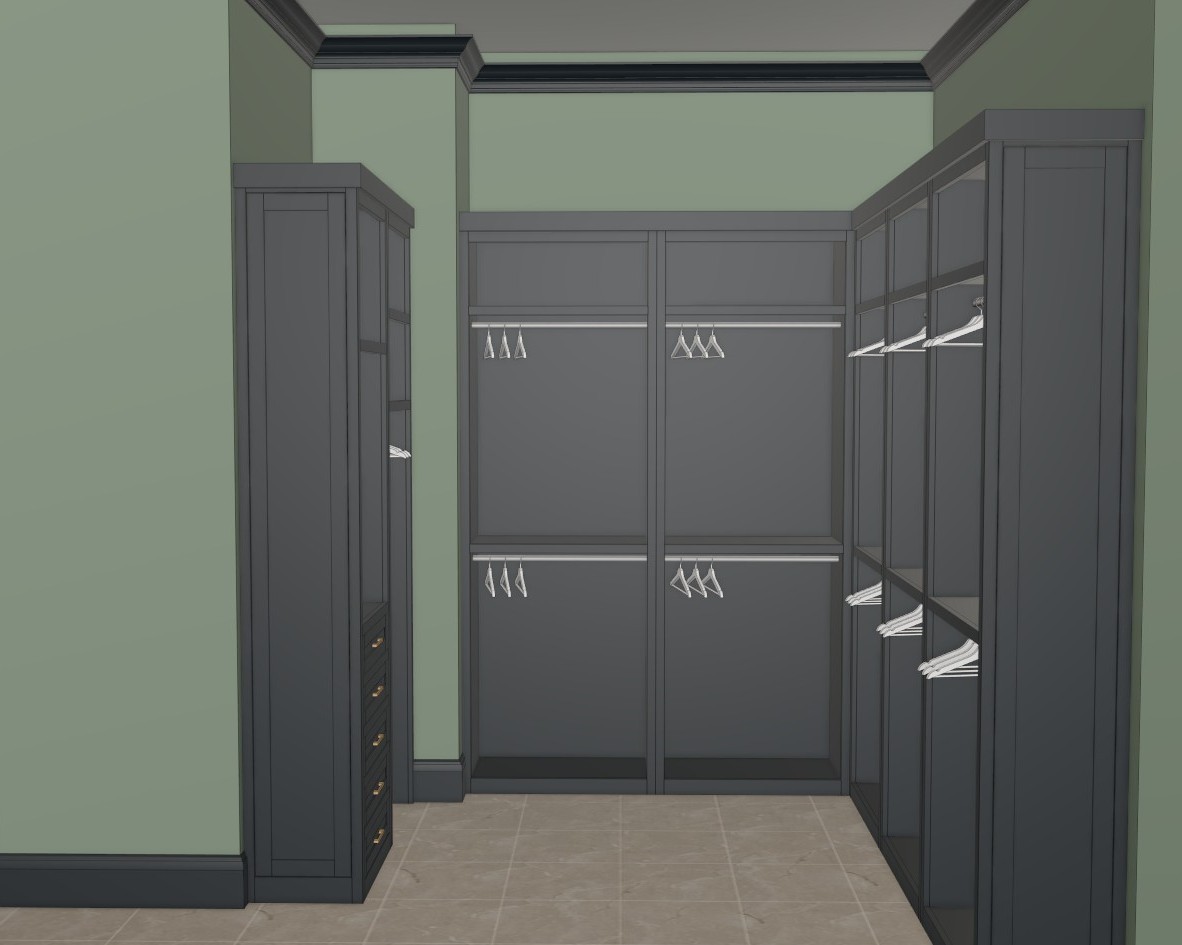

This demo is an extremely stripped back version of the app. See the full app in the video below!
This demo is an extremely stripped back version of the app. See the full app in the video below!
This demo is an extremely stripped back version of the app. See the full app in the video below!
This demo is an extremely stripped back version of the app. See the full app in the video below!
Win More Premium Bids
Stop handing prospects confusing line drawings or cartoon images while competitors show up with realistic visuals. Put a photorealistic render in front of them and command the pricing your craftsmanship deserves.
Secure Quicker Approvals
Eliminate the dreaded "I just can't picture it" bottleneck. Build instant visual trust during your very first consultation so clients confidently sign off on the spot.
Eliminate Revisions
When clients clearly visualize the final product before a single piece of board is cut, it wipes out miscommunication and costly mid-production design changes on the shop floor.
Win More Premium Bids
Stop handing prospects confusing line drawings or cartoon images while competitors show up with realistic visuals. Put a photorealistic render in front of them and command the pricing your craftsmanship deserves.
Secure Quicker Approvals
Eliminate the dreaded "I just can't picture it" bottleneck. Build instant visual trust during your very first consultation so clients confidently sign off on the spot.
Eliminate Revisions
When clients clearly visualize the final product before a single piece of board is cut, it wipes out miscommunication and costly mid-production design changes on the shop floor.
Win More Premium Bids
Stop handing prospects confusing line drawings or cartoon images while competitors show up with realistic visuals. Put a photorealistic render in front of them and command the pricing your craftsmanship deserves.
Secure Quicker Approvals
Eliminate the dreaded "I just can't picture it" bottleneck. Build instant visual trust during your very first consultation so clients confidently sign off on the spot.
Eliminate Revisions
When clients clearly visualize the final product before a single piece of board is cut, it wipes out miscommunication and costly mid-production design changes on the shop floor.
The old way is costing you time and money!
The Endless Revision Loop
❌ Losing to Better Presentations:
Clients struggle to visualize your work from a rough sketch or basic 3D model. If they can't picture it, they won't buy it.
❌ Bleeding Labor Hours:
Sitting awkwardly with a client waiting for traditional renders to load is costing you valuable time and killing the sale's momentum.
The
QuickCabRender
Way
✅ Your evenings back:
Drop a quick layout screenshot into QCR, select your finishes, and have a presentation ready before your coffee gets cold.
✅ Instant Emotional Connection:
Clients see exactly how light, materials, and woodgrains play together, removing all doubt and preventing price-shopping.
The old way is costing you time and money!
The Endless Revision Loop
❌ Losing to Better Presentations:
Clients struggle to visualize your work from a rough sketch or basic 3D model. If they can't picture it, they won't buy it.
❌ Bleeding Labor Hours:
Sitting awkwardly with a client waiting for traditional renders to load is costing you valuable time and killing the sale's momentum.
The
QuickCabRender
Way
✅ Your evenings back:
Drop a quick layout screenshot into QCR, select your finishes, and have a presentation ready before your coffee gets cold.
✅ Instant Emotional Connection:
Clients see exactly how light, materials, and woodgrains play together, removing all doubt and preventing price-shopping.
The old way is costing you time and money!
The Endless Revision Loop
❌ Losing to Better Presentations:
Clients struggle to visualize your work from a rough sketch or basic 3D model. If they can't picture it, they won't buy it.
❌ Bleeding Labor Hours:
Sitting awkwardly with a client waiting for traditional renders to load is costing you valuable time and killing the sale's momentum.
The
QuickCabRender
Way
✅ Your evenings back:
Drop a quick layout screenshot into QCR, select your finishes, and have a presentation ready before your coffee gets cold.
✅ Instant Emotional Connection:
Clients see exactly how light, materials, and woodgrains play together, removing all doubt and preventing price-shopping.
Trusted by Cabinet Shops & Design Studios.
Trusted by Cabinet Shops & Design Studios.
Trusted by Cabinet Shops & Design Studios.
"Clients struggled to visualize what their project would look like from drawing software screenshots. QCR lets us provide a premium service that matches our craftsmanship. Clients constantly comment on the quality."
"Clients struggled to visualize what their project would look like from drawing software screenshots. QCR lets us provide a premium service that matches our craftsmanship. Clients constantly comment on the quality."
- High Calibre Woodworks
Canada
- High Calibre Woodworks
Canada
"Presenting 3D renders used to be a massive business bottleneck. Now we get faster client sign-offs, faster design renditions, and it saves us an average of 2 to 3 hours per project."
"Presenting 3D renders used to be a massive business bottleneck. Now we get faster client sign-offs, faster design renditions, and it saves us an average of 2 to 3 hours per project."
- Trappemakeren
Norway
- Trappemakeren
Norway
"I took a quick screenshot... and within half a minute I had a rendered image. That was all it took, the client was sold instantly."
"I took a quick screenshot... and within half a minute I had a rendered image. That was all it took, the client was sold instantly."
- AVE Kitchen & Cabinet Design
Australia
- AVE Kitchen & Cabinet Design
Australia
Renders You Can Actually Build From.
Renders You Can Actually Build From.
Flawless Structural Alignment
Flawless Structural Alignment
Flawless Structural Alignment
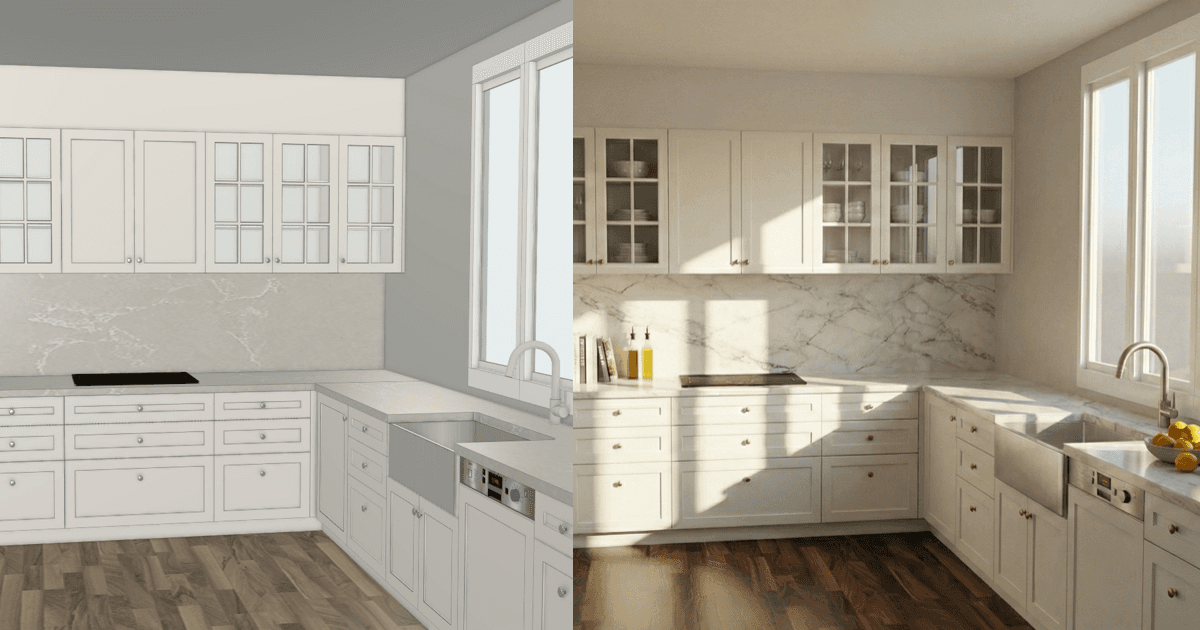
Because the engine locks directly onto your millimeter-perfect CAD geometry, you build exactly what the client fell in love with. No warped cabinets or impossible layouts.
Because the engine locks directly onto your millimeter-perfect CAD geometry, you build exactly what the client fell in love with. No warped cabinets or impossible layouts.
Exact Material Matching
Exact Material Matching
Exact Material Matching
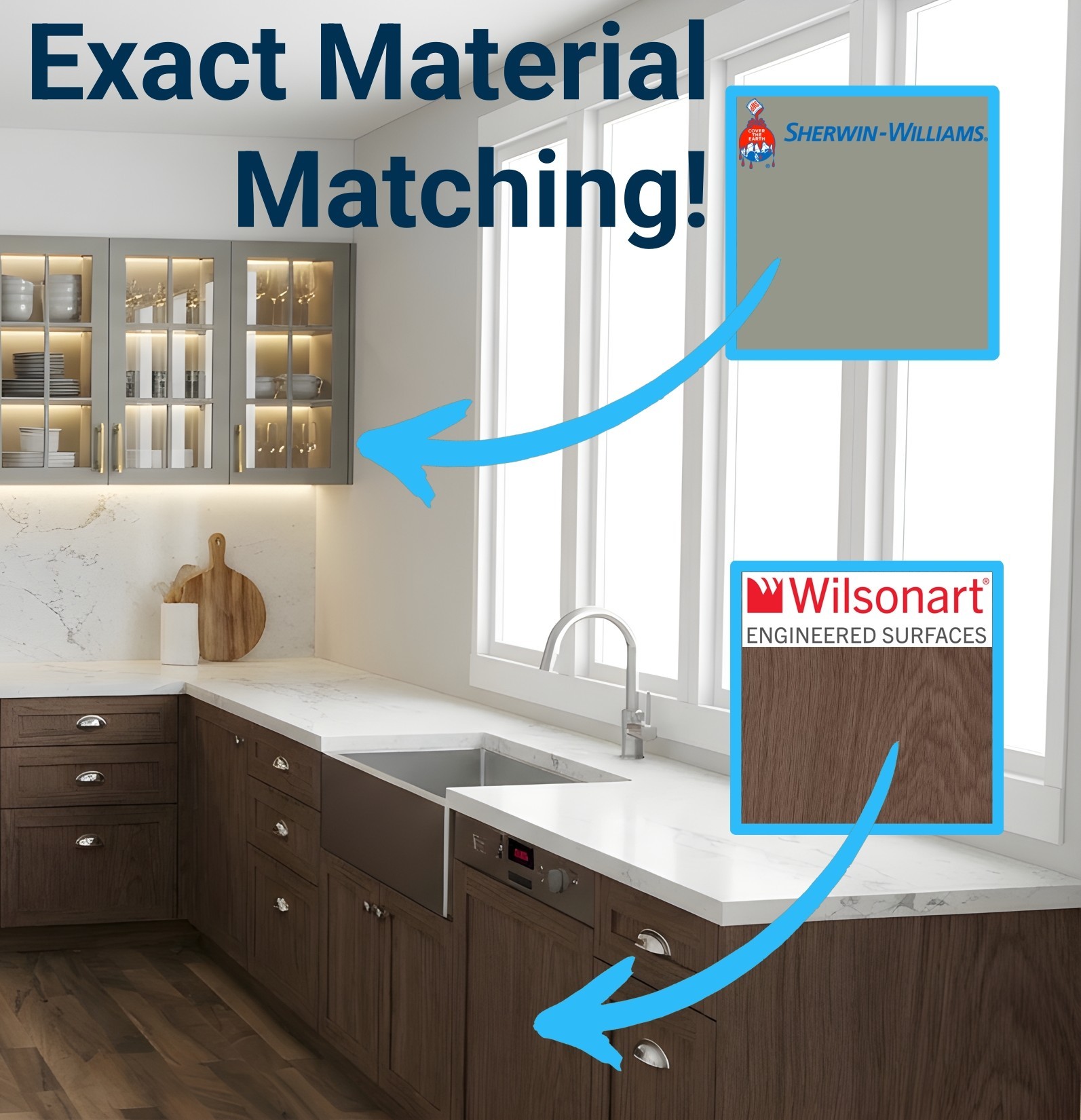
Don't just type a color—use the exact product your client requested. Simply go to a manufacturer's website (like Sherwin-Williams, Polytec, or Cambria), copy an image of the swatch, and paste it straight into QuickCabRender. The AI will completely replace your CAD textures and map the exact color, woodgrain, or stone veins perfectly in 3D. It even works for specific hardware brands like Top Knobs or Buster + Punch!
Don't just type a color—use the exact product your client requested. Simply go to a manufacturer's website (like Sherwin-Williams, Polytec, or Cambria), copy an image of the swatch, and paste it straight into QuickCabRender. The AI will completely replace your CAD textures and map the exact color, woodgrain, or stone veins perfectly in 3D. It even works for specific hardware brands like Top Knobs or Buster + Punch!
Pricing that pays for itself on the first quote.
Stop losing premium jobs to shops with better visuals. Start your 7-day free trial today to see exactly how fast your clients say "Yes!"
Pay yearly for a discount of 2 MONTHS!
Pricing that pays for itself on the first quote.
Stop losing premium jobs to shops with better visuals. Start your 7-day free trial today to see exactly how fast your clients say "Yes!"
Pay yearly for a discount of 2 MONTHS!
Pricing that pays for itself on the first quote.
Stop losing premium jobs to shops with better visuals. Start your 7-day free trial today to see exactly how fast your clients say "Yes!"
Pay yearly for a discount of 2 MONTHS!
Monthly
Yearly
4K Ultra-HD
7-Day Free Trial
$0
Prove it to yourself. Render a real client project and watch them sign off on the spot.
10 "Fair Use" Render Credits
Experience the full power of our top tiers for free
Unlocked: 4K Photorealistic Upscaling
Unlocked: Exact Manufacturer Swatch Matching
Starter
$19
USD / Per month
Perfect for smaller shops or independent drafters pitching occasional projects.
50 Render Credits per month
Standard HD Quality
Locked: 4K & Exact Material Matching (Want these? Add a Top-Up pack or upgrade)
Business
$49
USD / Per month
The ultimate presentation engine. Build total trust with pixel-perfect material matching.
200 Render Credits per month
Low Cost Per Render ($0.25)
2 User Seats included
Unlocked: 4K Photorealistic Upscaling
Unlocked: Exact Manufacturer Swatch Matching
Most popular!
Pro
$199
USD / Per month
Designed for high-volume custom builders and design agencies managing multiple daily quotes.
1,000 Render Credits per month
Lowest Cost Per Render ($0.20)
5 User Seats Included
Unlocked: 4K Photorealistic Upscaling
Unlocked: Exact Manufacturer Swatch Matching
Monthly
Yearly
7-Day Free Trial
$0
Prove it to yourself. Render a real client project and watch them sign off on the spot.
10 "Fair Use" Render Credits
Experience the full power of our top tiers for free
Unlocked: 4K Photorealistic Upscaling
Unlocked: Exact Manufacturer Swatch Matching
Starter
$19
USD / Per month
Perfect for smaller shops or independent drafters pitching occasional projects.
50 Render Credits per month
Standard HD Quality
Locked: 4K & Exact Material Matching (Want these? Add a Top-Up pack or upgrade)
Business
$49
USD / Per month
The ultimate presentation engine. Build total trust with pixel-perfect material matching.
200 Render Credits per month
Low Cost Per Render ($0.25)
2 User Seats included
Unlocked: 4K Photorealistic Upscaling
Unlocked: Exact Manufacturer Swatch Matching
Most popular!
Pro
$199
USD / Per month
Designed for high-volume custom builders and design agencies managing multiple daily quotes.
1,000 Render Credits per month
Lowest Cost Per Render ($0.20)
5 User Seats Included
Unlocked: 4K Photorealistic Upscaling
Unlocked: Exact Manufacturer Swatch Matching
Monthly
Yearly
7-Day Free Trial
$0
Prove it to yourself. Render a real client project and watch them sign off on the spot.
10 "Fair Use" Render Credits
Experience the full power of our top tiers for free
Unlocked: 4K Photorealistic Upscaling
Unlocked: Exact Manufacturer Swatch Matching
Starter
$19
USD / Per month
Perfect for smaller shops or independent drafters pitching occasional projects.
50 Render Credits per month
Standard HD Quality
Locked: 4K & Exact Material Matching (Want these? Add a Top-Up pack or upgrade)
Business
$49
USD / Per month
200 Credits per month.
4K Ultra-HD Upscaling Included
Priority Support
Unlimited Gallery Storage
2 User Seats included
Priority Support
Most popular!
Pro
$199
USD / Per month
1,000 Credits per month.
4K Ultra-HD Upscaling Included
Best Unit Price ($0.20)
5 User Seats Included
Lowest Cost Per Render ($0.20)
Dedicated Account Manager
4K Ultra-HD
Need an enterprise plan?
We offer custom enterprise plans tailored for users with needs beyond our standard offerings. Please let us know your specific requirements by contacting us directly, and we will put together a plan that works for you.
Contact us
Contact us
Stop leaving money on the table.
💡 The Business Math: For less than what your shop charges for a single half-hour of manual drafting time, you can unlock 25+ photorealistic presentations that will easily win your next contract.
No lock-in contracts. Cancel anytime via your dashboard.
No lock-in contracts. Cancel anytime via your dashboard.
Need flexibility?
Add credits anytime.
Need flexibility?
Add credits anytime.
Need flexibility?
Add credits anytime.
Want standard renders, exact material matching, and 4K quality without the monthly fee? Top-up credits unlock premium features while your balance is active.
Top-up credits never expire.
Remaining Top-Up credits roll over each month.
Frequently Asked Questions
Frequently Asked Questions
Frequently Asked Questions
What software is QuickCabRender compatible with?
Everything. Because our engine works from images rather than 3D model files, it is compatible with Mozaik™, Cabinet Vision™, Microvellum™, SketchUp, Fusion 360, etc. If you can take a screenshot of it, we can render it.
Do I need to install a plugin or extension?
No. QuickCabRender is 100% web-based. You do not need to install anything on your CAD workstation. You simply drag and drop your screenshot into your browser.
Do I need to export OBJ or DWG files?
No. We built this for speed. Exporting 3D models is slow and often breaks textures. We use an "Image-to-Image" AI process. Just export your view as an image with texture turned on (.PNG works best), upload it, and we handle the rest.
How is this different from my software’s built-in rendering?
Your CAD software is built for engineering accuracy, which often makes its rendering features slow and complex to set up (lighting, textures, ray-tracing). QuickCabRender is built for Sales. We sacrifice millimeter-perfect engineering precision for "HGTV-style" visuals that generate in seconds, helping you close the deal during the client meeting.
What creates the best results?
A clean "textured" view works best. Ensure your image isn't cluttered with confusing background lines. The cleaner the input, the better the output.
Is my design data private?
Yes. Your uploaded screenshots are processed securely and are never shared with third parties or other users.
How do credits work?
1 Credit = 1 Render. We offer a free trial so you can test the workflow. After that, you can purchase credit packs or a monthly subscription depending on your volume. And for 4K upscaling = 1 credit.
What if I don't like a render result?
AI is a creative partner, not a printer. Sometimes the AI might misinterpret a line or get a texture wrong. That is part of the technology. To account for this, we have priced our credits significantly lower than traditional rendering services. We recommend generating 2-3 variations for every view to get the perfect shot. Even with a few "misfires," you are still getting high-end visuals for a fraction of the cost (and time) of manual rendering.
Can I use exact real-world materials and hardware?
Yes! With our new Exact Material Matching engine (available on all Free Trials, Business/Pro plans, and Top-Up packs) you can bypass standard AI guesswork. Simply copy an image of a specific paint swatch, laminate board, stone benchtop, or cabinet handle directly from a manufacturer's website and paste it into the app. QuickCabRender will map that exact texture and hardware onto your 3D design, making it the ultimate tool for specific client requests.
What software is QuickCabRender compatible with?
Everything. Because our engine works from images rather than 3D model files, it is compatible with Mozaik™, Cabinet Vision™, Microvellum™, SketchUp, Fusion 360, etc. If you can take a screenshot of it, we can render it.
Do I need to install a plugin or extension?
No. QuickCabRender is 100% web-based. You do not need to install anything on your CAD workstation. You simply drag and drop your screenshot into your browser.
Do I need to export OBJ or DWG files?
No. We built this for speed. Exporting 3D models is slow and often breaks textures. We use an "Image-to-Image" AI process. Just export your view as an image with texture turned on (.PNG works best), upload it, and we handle the rest.
How is this different from my software’s built-in rendering?
Your CAD software is built for engineering accuracy, which often makes its rendering features slow and complex to set up (lighting, textures, ray-tracing). QuickCabRender is built for Sales. We sacrifice millimeter-perfect engineering precision for "HGTV-style" visuals that generate in seconds, helping you close the deal during the client meeting.
What creates the best results?
A clean "textured" view works best. Ensure your image isn't cluttered with confusing background lines. The cleaner the input, the better the output.
Is my design data private?
Yes. Your uploaded screenshots are processed securely and are never shared with third parties or other users.
How do credits work?
1 Credit = 1 Render. We offer a free trial so you can test the workflow. After that, you can purchase credit packs or a monthly subscription depending on your volume. And for 4K upscaling = 1 credit.
What if I don't like a render result?
AI is a creative partner, not a printer. Sometimes the AI might misinterpret a line or get a texture wrong. That is part of the technology. To account for this, we have priced our credits significantly lower than traditional rendering services. We recommend generating 2-3 variations for every view to get the perfect shot. Even with a few "misfires," you are still getting high-end visuals for a fraction of the cost (and time) of manual rendering.
Can I use exact real-world materials and hardware?
Yes! With our new Exact Material Matching engine (available on all Free Trials, Business/Pro plans, and Top-Up packs) you can bypass standard AI guesswork. Simply copy an image of a specific paint swatch, laminate board, stone benchtop, or cabinet handle directly from a manufacturer's website and paste it into the app. QuickCabRender will map that exact texture and hardware onto your 3D design, making it the ultimate tool for specific client requests.
What software is QuickCabRender compatible with?
Everything. Because our engine works from images rather than 3D model files, it is compatible with Mozaik™, Cabinet Vision™, Microvellum™, SketchUp, Fusion 360, etc. If you can take a screenshot of it, we can render it.
Do I need to install a plugin or extension?
No. QuickCabRender is 100% web-based. You do not need to install anything on your CAD workstation. You simply drag and drop your screenshot into your browser.
Do I need to export OBJ or DWG files?
No. We built this for speed. Exporting 3D models is slow and often breaks textures. We use an "Image-to-Image" AI process. Just export your view as an image with texture turned on (.PNG works best), upload it, and we handle the rest.
How is this different from my software’s built-in rendering?
Your CAD software is built for engineering accuracy, which often makes its rendering features slow and complex to set up (lighting, textures, ray-tracing). QuickCabRender is built for Sales. We sacrifice millimeter-perfect engineering precision for "HGTV-style" visuals that generate in seconds, helping you close the deal during the client meeting.
What creates the best results?
A clean "textured" view works best. Ensure your image isn't cluttered with confusing background lines. The cleaner the input, the better the output.
Is my design data private?
Yes. Your uploaded screenshots are processed securely and are never shared with third parties or other users.
How do credits work?
1 Credit = 1 Render. We offer a free trial so you can test the workflow. After that, you can purchase credit packs or a monthly subscription depending on your volume. And for 4K upscaling = 1 credit.
What if I don't like a render result?
AI is a creative partner, not a printer. Sometimes the AI might misinterpret a line or get a texture wrong. That is part of the technology. To account for this, we have priced our credits significantly lower than traditional rendering services. We recommend generating 2-3 variations for every view to get the perfect shot. Even with a few "misfires," you are still getting high-end visuals for a fraction of the cost (and time) of manual rendering.
Can I use exact real-world materials and hardware?
Yes! With our new Exact Material Matching engine (available on all Free Trials, Business/Pro plans, and Top-Up packs) you can bypass standard AI guesswork. Simply copy an image of a specific paint swatch, laminate board, stone benchtop, or cabinet handle directly from a manufacturer's website and paste it into the app. QuickCabRender will map that exact texture and hardware onto your 3D design, making it the ultimate tool for specific client requests.
About Us
Your clients don't speak CAD. We translate.
Your clients don't speak CAD. We translate.
Your clients don't speak CAD. We translate.
Turn technical drawings into emotional realities—instantly.
Turn technical drawings into emotional realities—instantly.
We know the feeling.
You present a layout you’ve spent hours perfecting. The client loves it, but asks the inevitable question: "Can we see it with White Oak floors and Shaker instead?"
In the past, that request killed your momentum. It meant going back to the office, modifying the job, and re-rendering. By the time you sent the email, the excitement was gone.
In the past, that request killed your momentum. It meant going back to the office, modifying the job, and re-rendering. By the time you sent the email, the excitement was gone.
We built QuickCabRender to answer that question in 40 seconds, while you’re still sitting in the meeting.
Engineering is for you. Emotion is for them.
Your CAD software is built for precision—dimensions, tolerances, and drilling patterns. It wasn't built for atmosphere.
QuickCabRender acts as the "Visual Layer" on top of your workflow. We bridge the gap between your technical drawings and your client's imagination, allowing you to sell the feeling of a space without sacrificing the accuracy of your plans.
In the past, that request killed your momentum. It meant going back to the office, modifying the job, and re-rendering. By the time you sent the email, the excitement was gone.
We built QuickCabRender to answer that question in 40 seconds, while you’re still sitting in the meeting.
Engineering is for you. Emotion is for them.
Your CAD software is built for precision—dimensions, tolerances, and drilling patterns. It wasn't built for atmosphere.
QuickCabRender acts as the "Visual Layer" on top of your workflow. We bridge the gap between your technical drawings and your client's imagination, allowing you to sell the feeling of a space without sacrificing the accuracy of your plans.
In the past, that request killed your momentum. It meant going back to the office, modifying the job, and re-rendering. By the time you sent the email, the excitement was gone.
We built QuickCabRender to answer that question in 40 seconds, while you’re still sitting in the meeting.
Engineering is for you. Emotion is for them.
Your CAD software is built for precision—dimensions, tolerances, and drilling patterns. It wasn't built for atmosphere.
QuickCabRender acts as the "Visual Layer" on top of your workflow. We bridge the gap between your technical drawings and your client's imagination, allowing you to sell the feeling of a space without sacrificing the accuracy of your plans.

Who We Are
We aren't a generic AI company built by developers who have never stepped on a job site. We are industry insiders. We know the difference between a face frame and a frameless cabinet, and why lighting temperature makes or breaks a sale.
We are here to help Designers and Makers stop fighting with software and start closing deals.
Scale Your Software or Website with the QCR Engine
Scale Your Software or Website with the QCR Engine
Scale Your Software or Website with the QCR Engine
Want to add instant photorealistic rendering directly into your own platform? Whether you're building the next great cabinet design app or want a white-labeled visualizer for your cabinetry website, the QCR Engine is now available via API and secure iFrame Embed.
Want to add instant photorealistic rendering directly into your own platform? Whether you're building the next great cabinet design app or want a white-labeled visualizer for your cabinetry website, the QCR Engine is now available via API and secure iFrame Embed.
Explore API & Embed Features
Explore API & Embed Features